UBC Workday Redesign
This project addresses the chaos of course registration by reimagining a system that is both functional and truly supportive. It focuses on issues in flexibility, intuitiveness, and informativeness to help students plan effectively across terms, and make decisions without relying on external tools.

Responsibilities
UI/UX design
UX research
Timeline
4 months, September 2025 - December 2025
Tools
Figma
The Problem
As UBC students, my team has experienced the stress of course registration including the repetitive clicking, confusing timetable layout and heavy reliance on external tools. In order to understand the problem better, we examined two reference designs, UBC’s current Workday system and the former Student Services Centre (SSC.) From these, we extracted the pros and cons of each:
UBC Workday
Pros
All lectures, labs, discussions and tutorials are bundled together under one class
Cons
Repetitive clicks when navigating
Schedule visualization combines both terms together
UBC SSC
Pros
Includes schedule visualization while building saved schedules
Schedule visualization is separated by term
Cons
All components of classes are separate forcing students to manually figure out what is needed for a class
Some course information such as distance between class is not included
Research Questions
With these observations, we decided on three research questions for our field work study.
What features matter most to students in course registration?
How do students currently plan their schedules before registration?
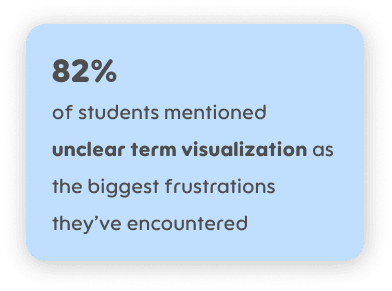
What are the biggest frustrations with Workday?
Field Work Research
We conducted think-aloud observation followed by semi-structured interviews of 11 UBC students who have completed at least one registration cycle on Workday. Each participant simulated their course registration process for the next term in Workday while verbalizing their thoughts throughout. Notes were taken on coding sheets during this time. Afterwards, a semi-structured interview was conducted to capture the thoughts of participants on priorities and frustrations.
Some interview questions we prepared were:
To address Research Question #1
If we could fix one thing by next term, what should it be?
To address Research Question #2
Walk me through how you prepare before registration opens.
What does your screen look like during registration: what tabs/apps are open?
To address Research Question #3
How do you handle conflicts/full schedules?
Tell me about a time you struggled to register. How did you handle it?
What do you find most frustrating about course registration?
Results
Through affinity diagramming and data aggregation here are some results we found:


User Scenarios
Based on our results, we created two potential students to help us figure out the main issues we wanted to tackle:
Sophia is a 3rd-year Arts student majoring in Psychology. She’s preparing her Term 2 schedule and is worried about accidentally scheduling back-to-back classes across campus. Last year, she had a stressful experience running from Buchanan to Forestry in under 10 minutes. She also wants to avoid professors with low student ratings, since she values engaging teaching. Sophia needs a clear calendar view that separates both terms so that she can balance time for clubs.
Her tasks:

James is a 4th-year Engineering student entering his final year, and wants to ensure that he meets the requirements to graduate on time. One of his required capstone courses only runs in Term 1 with limited seats, so he’s anxious about securing a spot. James highly values the degree navigator and conflict detection. He needs to see how course sections impact his entire academic plan, not just one semester at a time.
His tasks:

Central Tasks and Requirements
Through our field work research and user scenarios we determined the central tasks that we wanted to focus on.
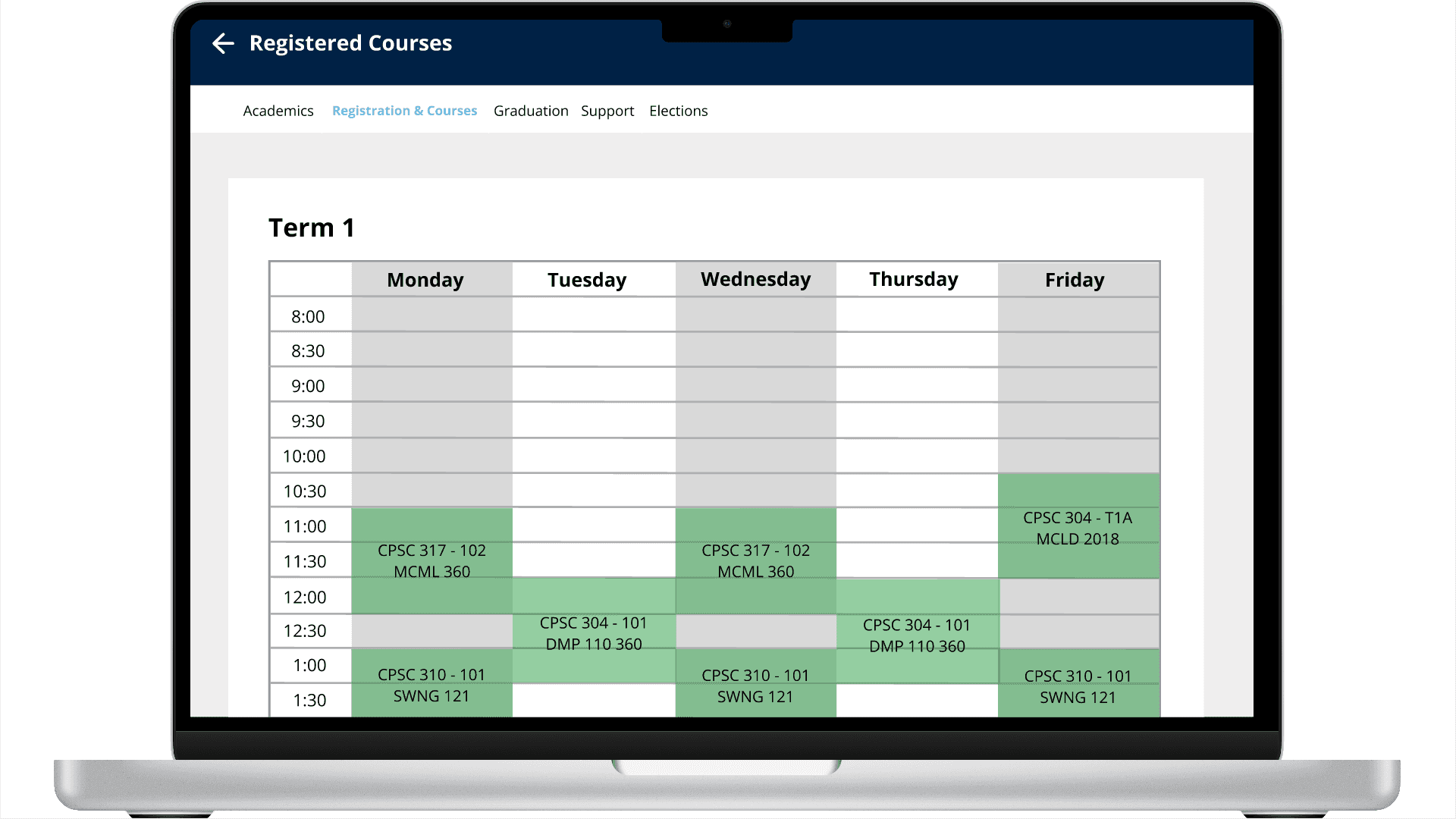
View schedule: A user wants to view their schedule for Term 1 and Term 2 separately.
Justification: 9 of 11 participants in our study mentioned wanting a clear way to view their schedule in a way that separates the two semesters.
Add course to potential schedule: A user wants to add a course to their saved schedule in a simple, easy and intuitive way.
Justification: 7 of 11 participants in our study mentioned wanting a simpler way to add courses to their schedules, with a minimal amount of clicks.
Based on these tasks, we defined three design goals to further help us accurately define our human need.
Clarity: The system should present Term 1 and Term 2 schedules in separate, visually distinct views with clear conflict indicators.
Efficiency: The interface should allow students to search, select, and add a course to a saved schedule within minimal clicks and time.
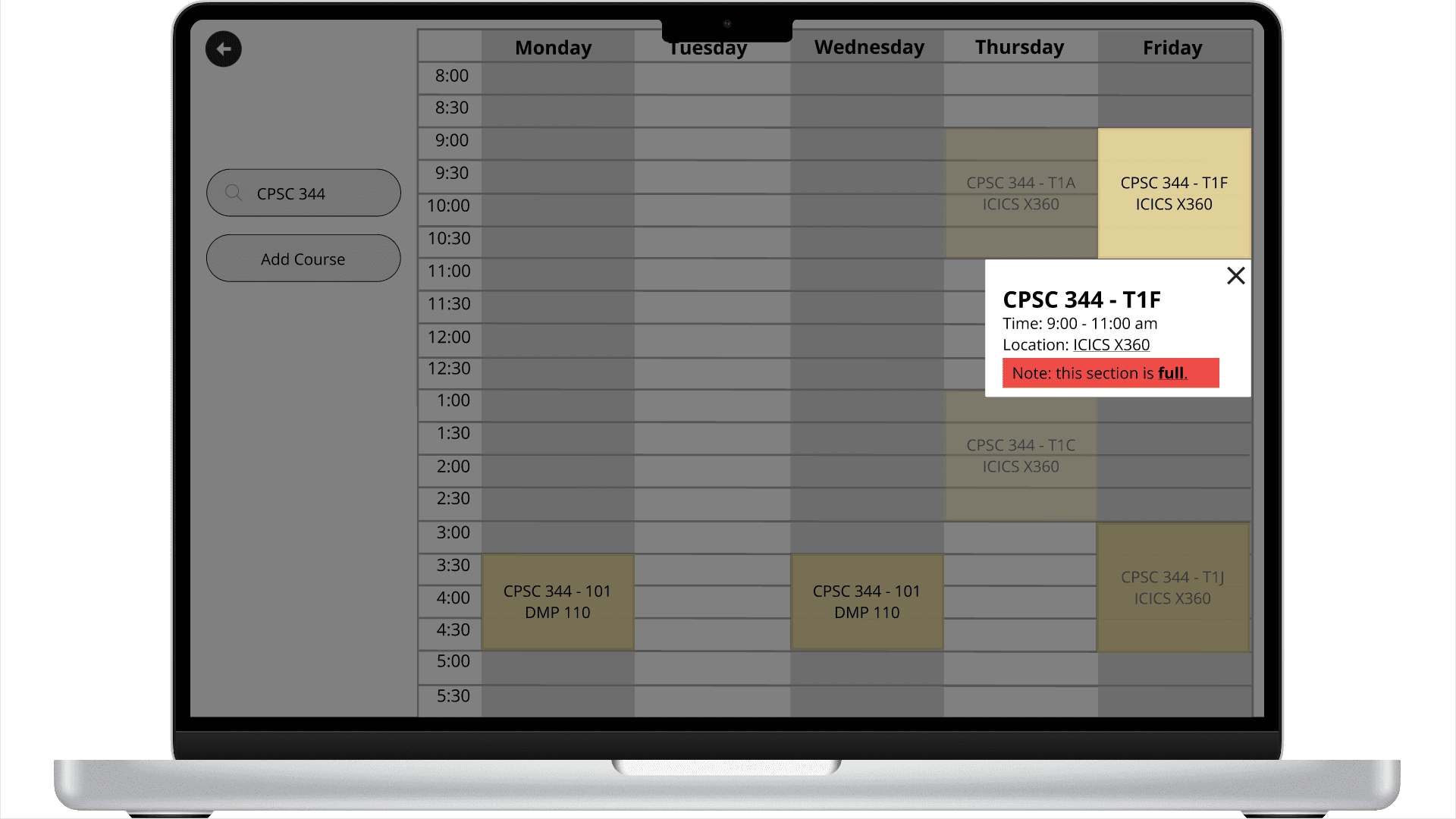
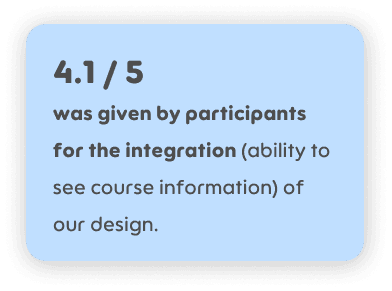
Integration: Key course details (professor ratings, walk times, degree requirements) must be visible in one cohesive view.
Conceptual Design and Prototyping
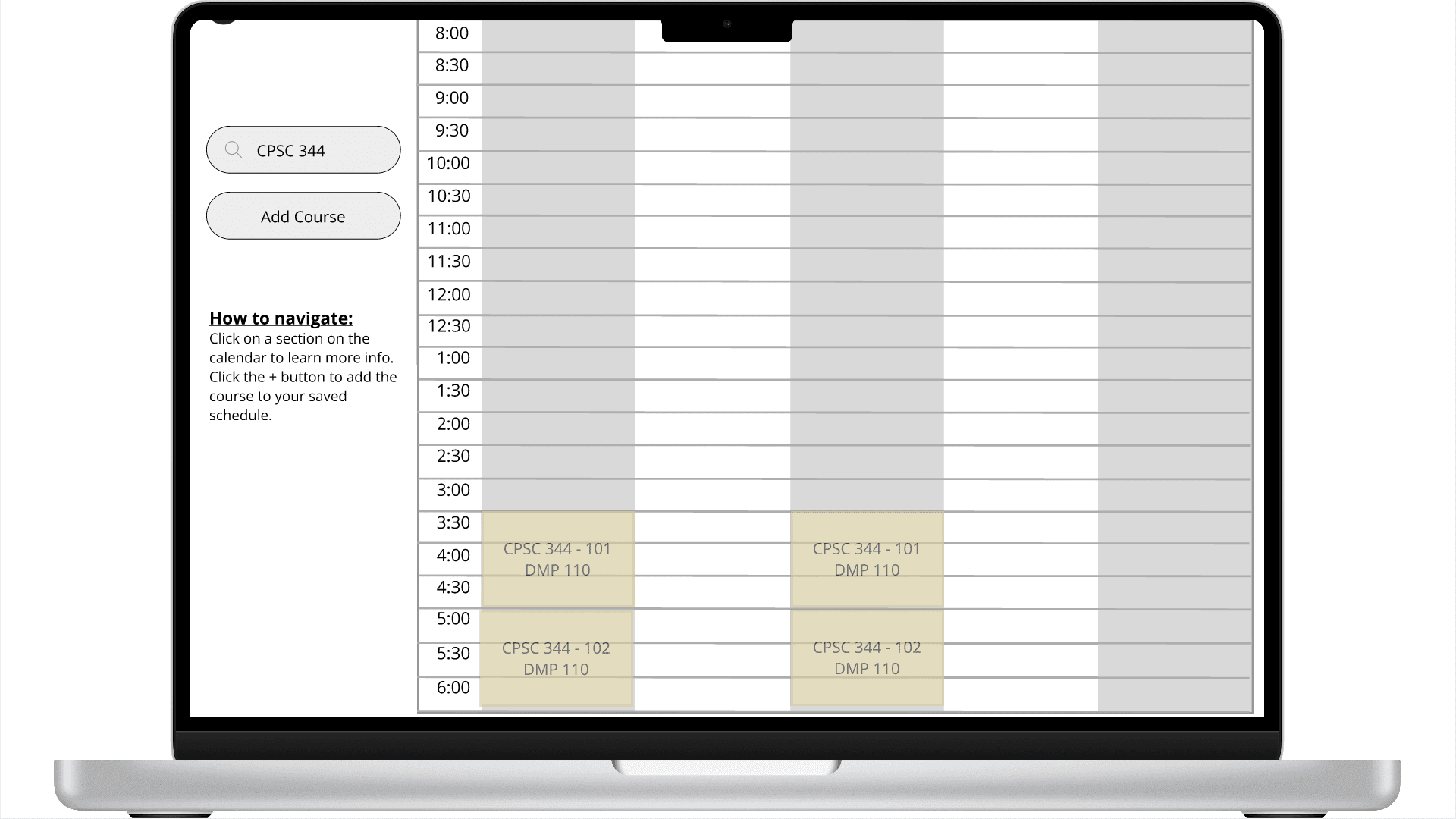
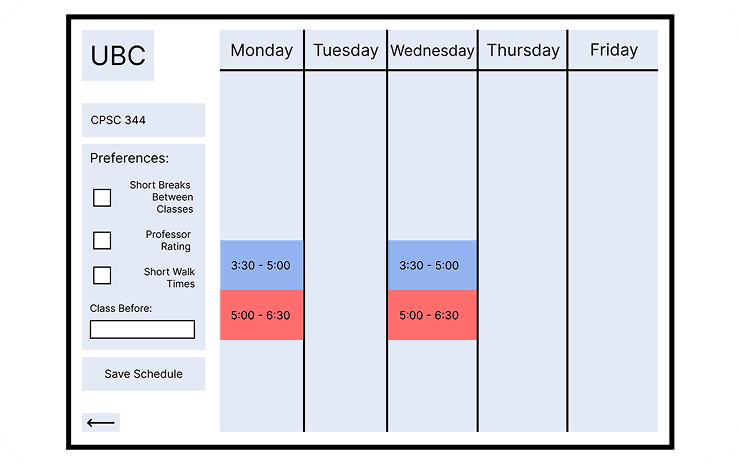
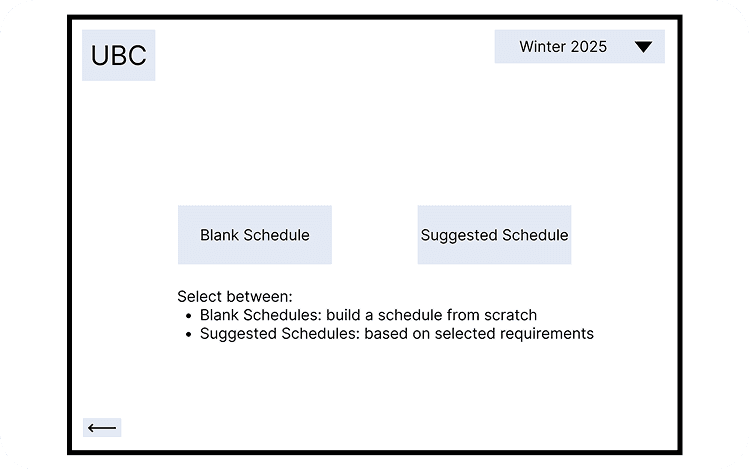
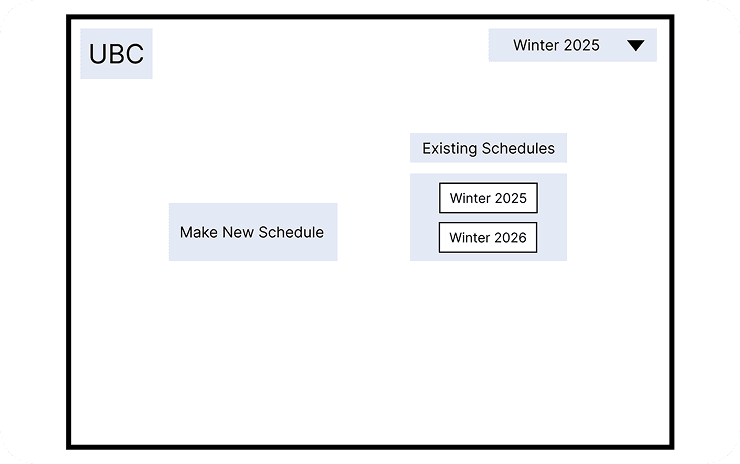
With our need and tasks clearly defined, we used the Crazy Eights method to brainstorm potential ideas. We started with lo-fi storyboards of our ideas and iterated on them to create a mid-fidelity prototype.



Med-fi Prototyping
We conducted a cognitive walkthrough with our lo-fi design to further refine it in the med-fi prototype. These are some changes we made to the workflow and layout:

Instead of the options for selecting a blank schedule or a template schedule, we opted to utilize the current Workday layout and add a “Create new saved schedule” button. By only displaying two buttons for users to select from, without any explanations for what clicking the buttons would lead to, users may be forced to make uninformed decisions with a fixed path.

Additionally, our initial design led to confusions in terms of where the text fields were, and which buttons or actions to take next with the chaotic preferences filter. We also found that our initial design led to more clicks, which was the opposite of our intended goals. As a result, we opted for a simple search bar to search for courses instead.
Usability Testing
With our med-fi prototype, we conducted usability testing to determine if our solution meets the goals of clarity, efficiency and integration that we were aiming for. We planned the evaluation to be a think aloud observation session with a retrospective interview afterwards. The think aloud observation included the observer giving two different tasks to the participant while writing their observations in the coding sheet.
Research Questions
Three research questions were used to direct our study:
How does the design improve the efficiency of course registration compared to the existing system?
To what extent do users feel supported in making informed course decisions with integrated information visible in one place?
How clear is the task flow for students to use?
Results
Through affinity diagramming and data aggregation here are some results we found:

Conclusions
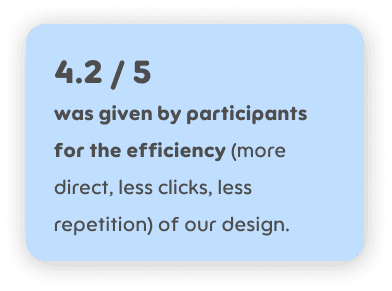
In the end, my team and I were able to improve on the current UBC Workday interface. Our design prioritized visualizing the schedule since this improved the efficiency of registration for many students. Participants also found that our integrated information pop-ups provided nearly all information needed. Finally, users found our task flow to be clear and intuitive, particularly due to the informative feedback given when adding courses.
Learnings
Through this project, I learned the importance of piloting. For both our field work study and usability testing, we piloted our coding sheet, tasks and interview questions. Through this, we were able to refine ambiguous interview questions and adjust task instructions to feel more natural. Overall, this helped prepare us for the actual data collection and we were able to conduct studies smoothly.
Additionally, I learned that users heavily rely on visual cues and signifiers, and that small ambiguities will disrupt the flow. For example, overloaded pop-ups can increase cognitive load and integrated cards should be used instead. Conflict handling must also be clear and unmissable, as subtle cues will cause errors and failure. These lessons shaped the current prototype and my thinking process for future prototypes.
Limitations
As for limitations, only certain sections could be added to a saved schedule, so users did not have complete freedom. Our design also does not support choosing the location, term, or name for the saved schedule, which would be performed in a natural setting. Users also could not delete courses, which is key functionality to add later.
Our participant pool was also skewed towards experienced Workday users, which limited our ability to understand how first-time registrants would experience the system. To better follow a user-centered design process in future work, we would intentionally recruit a more diverse sample, including incoming students with no prior experience with UBC registration tools. This change would likely surface additional onboarding needs and help us design clearer guidance for truly novice users such as first year students and transfer students.
Gallery